MotionForge Pro
Transfer Roblox Assets in Seconds!
World's Most Powerful Asset Re-uploader. Move animations, audio, images & meshes between accounts with one click. Batch process hundreds at once.
Get Pro — $4.99/mo See Free Plan ↓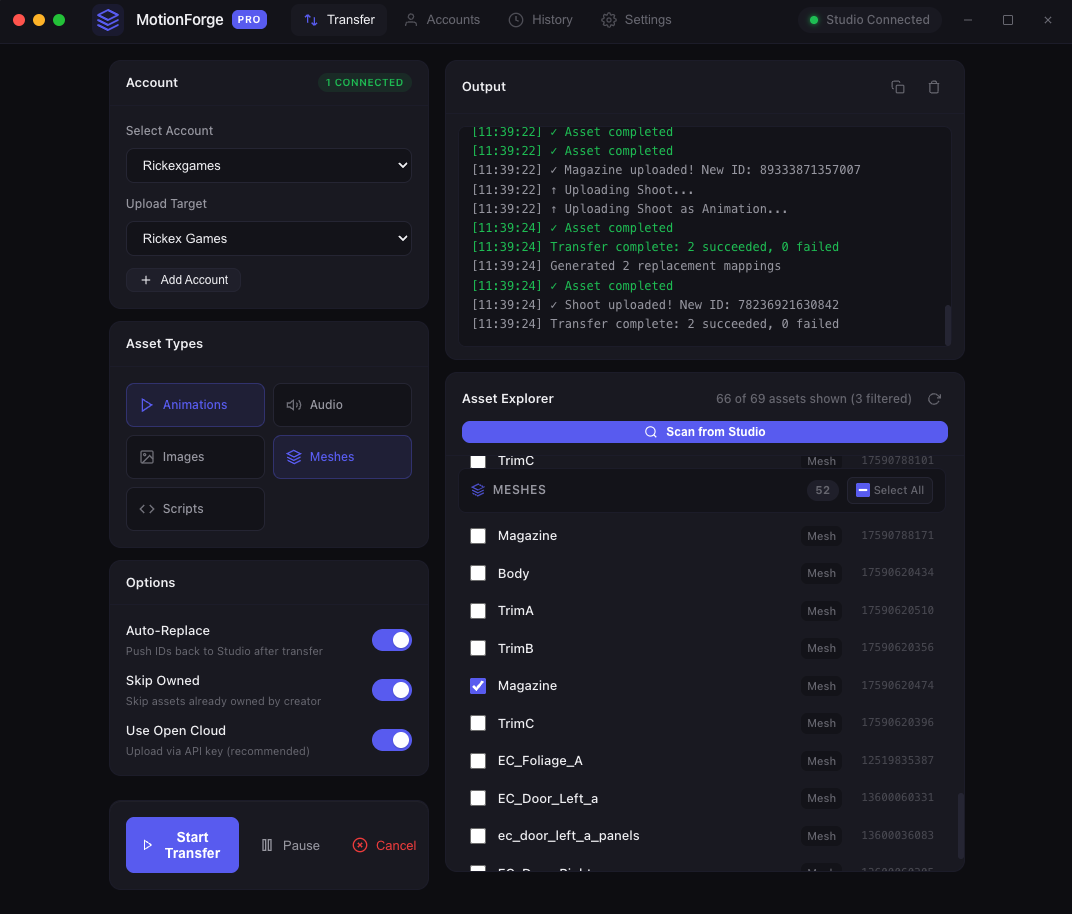
⚡ New user? You'll need a Roblox cookie and an Open Cloud API key to get started. Read the setup guide →
Transfer Roblox Assets in Seconds!
World's Most Powerful Asset Re-uploader. Move animations, audio, images & meshes between accounts with one click. Batch process hundreds at once.
Get Pro — $4.99/mo See Free Plan ↓
Download each asset individually from Roblox Studio, save it somewhere, then re-upload to the new account.
Old cookie-based upload tools stopped working. Roblox deprecated them without warning.
After uploading, you still have to find and replace every asset ID reference in your game scripts.
Click "Scan from Studio" in the app. Our plugin auto-detects every animation, audio, image, and mesh in your place.
Pick what you want to move — one asset or hundreds. Hit transfer and watch the progress bar. Pause anytime.
New asset IDs are pushed back to Roblox Studio automatically. Your scripts just work. No manual find-and-replace.
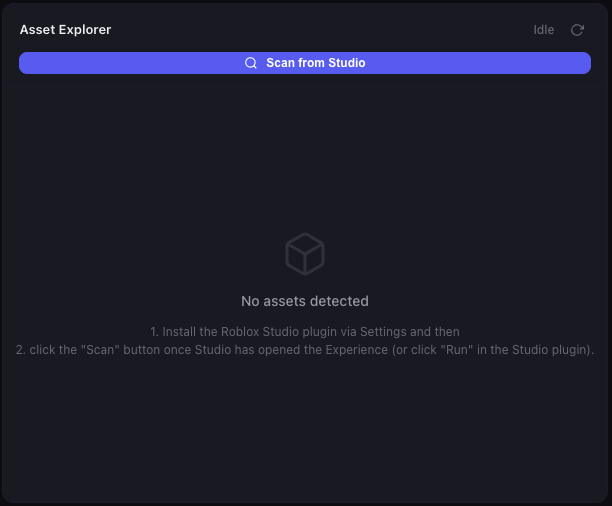
Scan and browse all assets in your place. Select individually or by type.
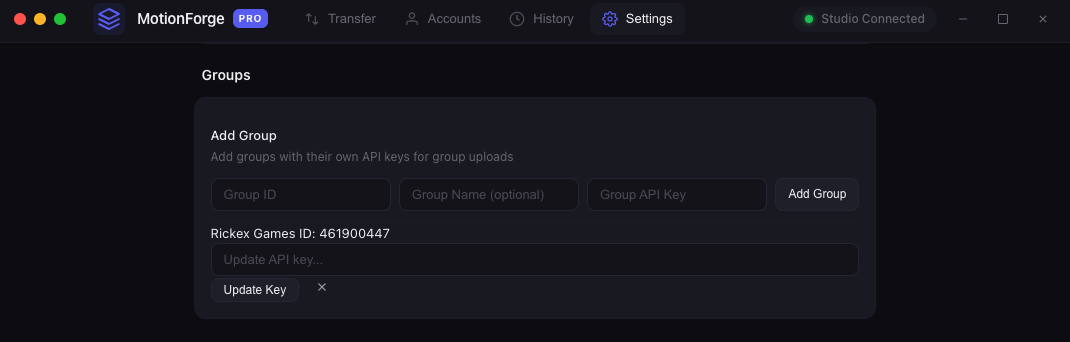
Transfer assets to group-owned places with separate API keys per group.
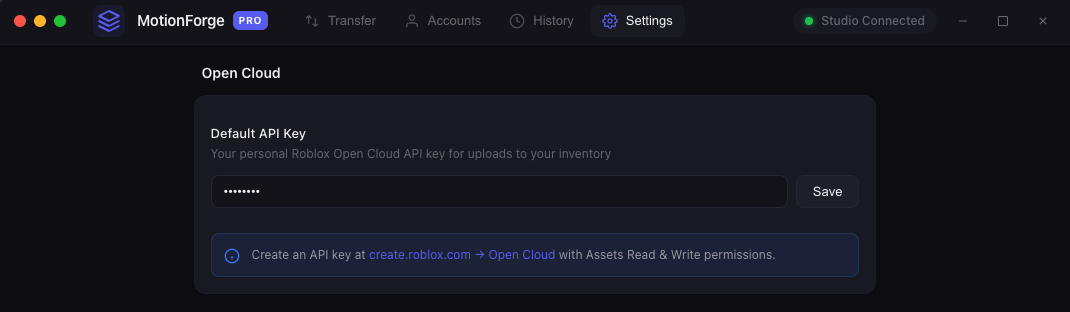
Modern, reliable upload via Roblox's official API. No deprecated cookie methods.
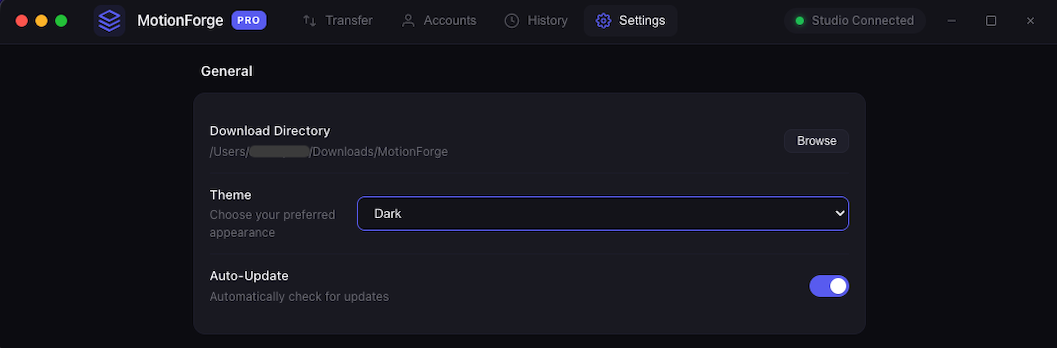
Configure accounts, groups, and API keys in one place. Simple and secure.
Plugin auto-detects all assets in your place. No manual exporting.
Move hundreds of assets in one go. Filter by type — animations, audio, images, meshes.
Uses Roblox's official modern API. Reliable, future-proof, won't break.
Transfer assets to group-owned places. Separate API keys per group.
See exactly what's happening — download stage, upload stage, per-asset status.
Stop a transfer anytime and pick up where you left off. Never lose progress.
New asset IDs pushed back to Studio automatically. No manual script updates.
Native desktop app for macOS and Windows. Lightweight, fast, stays out of your way.
Start free, upgrade when you need more
Limit is on asset types & quantity only — not speed or features
Get Free AccessYour Roblox cookie and API keys are stored only on your computer, encrypted at rest. We don't have servers that store your credentials — the app talks directly to Roblox from your machine.
MotionForge Pro can download assets you own and upload new assets to your inventory. It cannot change your password, spend Robux, access messages, or do anything beyond asset management.
We use Roblox's official Open Cloud API — the same API Roblox provides to developers. No exploits, hacks, or undocumented endpoints. Learn more about Open Cloud.
No. MotionForge uses Roblox's official Open Cloud API — the same API Roblox provides for legitimate asset management.
Yes, you'll need a free Open Cloud API key from create.roblox.com. Follow our step-by-step guide to get set up in 2 minutes.
A cookie is what keeps you logged into Roblox. MotionForge Pro stores it locally on your computer only — encrypted, never on our servers. Learn more in our security FAQ.
Yes! Install the MotionForge Pro plugin in Roblox Studio, then click "Auto-Detect" in the app. No manual cookie copying needed. See the guide.
Animations, audio, images (decals/textures), and meshes. More types added based on demand.
Yes. Add your group and its API key in settings, then select it as the upload target.
Every transfer shows real-time status. If an asset fails, you'll know why. Join our Discord for support.